Any web table to Excel in one click
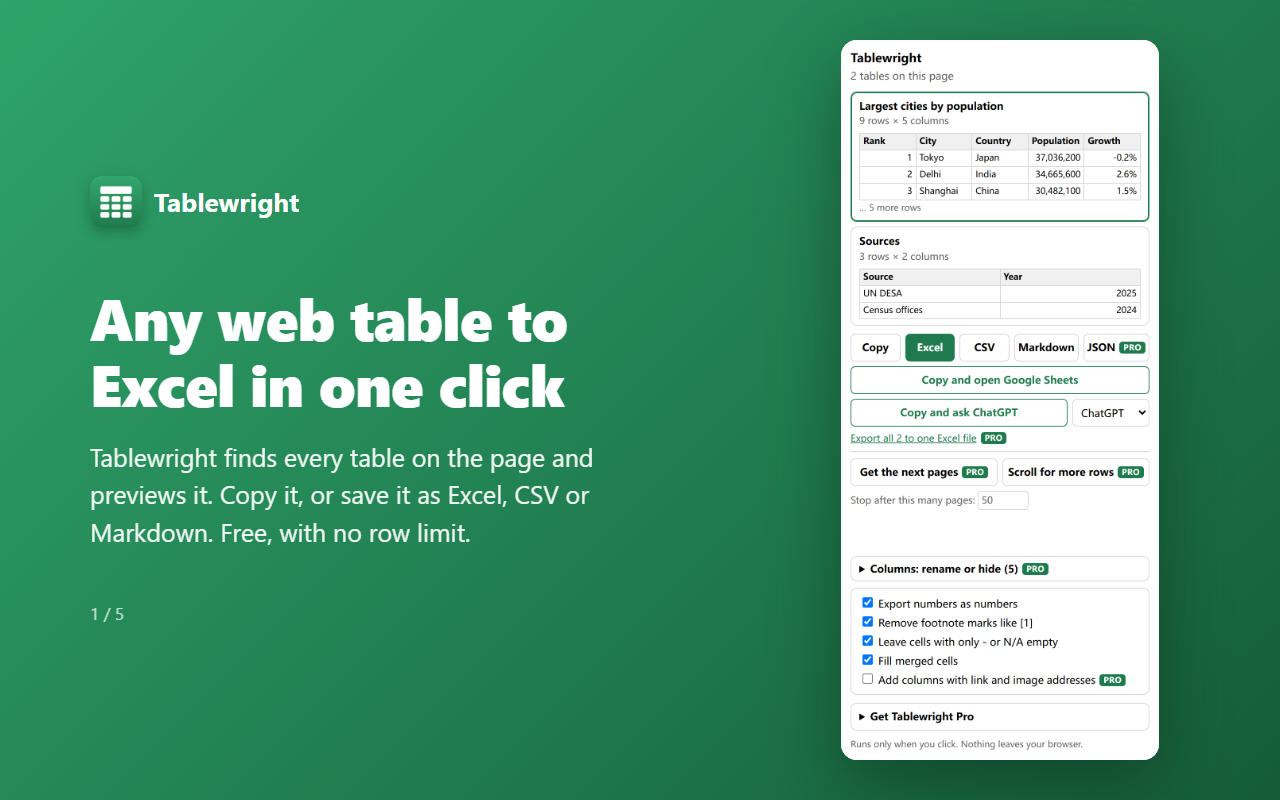
Click the icon and Tablewright lists every table on the page with a preview. Copy it, or save it as Excel, CSV or Markdown, with numbers that stay numbers and merged cells filled in. Free, with no row limit, and nothing you read leaves your browser.
What it does
Finds the tables for you
Every data table on the page is listed with its size and the first rows. Layout and menu tables are kept out of the way.
Clean files
1,420, $5.00 and 29.79亿 become real numbers, codes like 007 stay text, footnote marks like [1] go away, merged cells are filled in, and cells with only - are left empty.
Excel, CSV, Markdown, clipboard
Save an .xlsx or .csv file, copy rows to paste into any spreadsheet, or copy a Markdown table. No row limit.
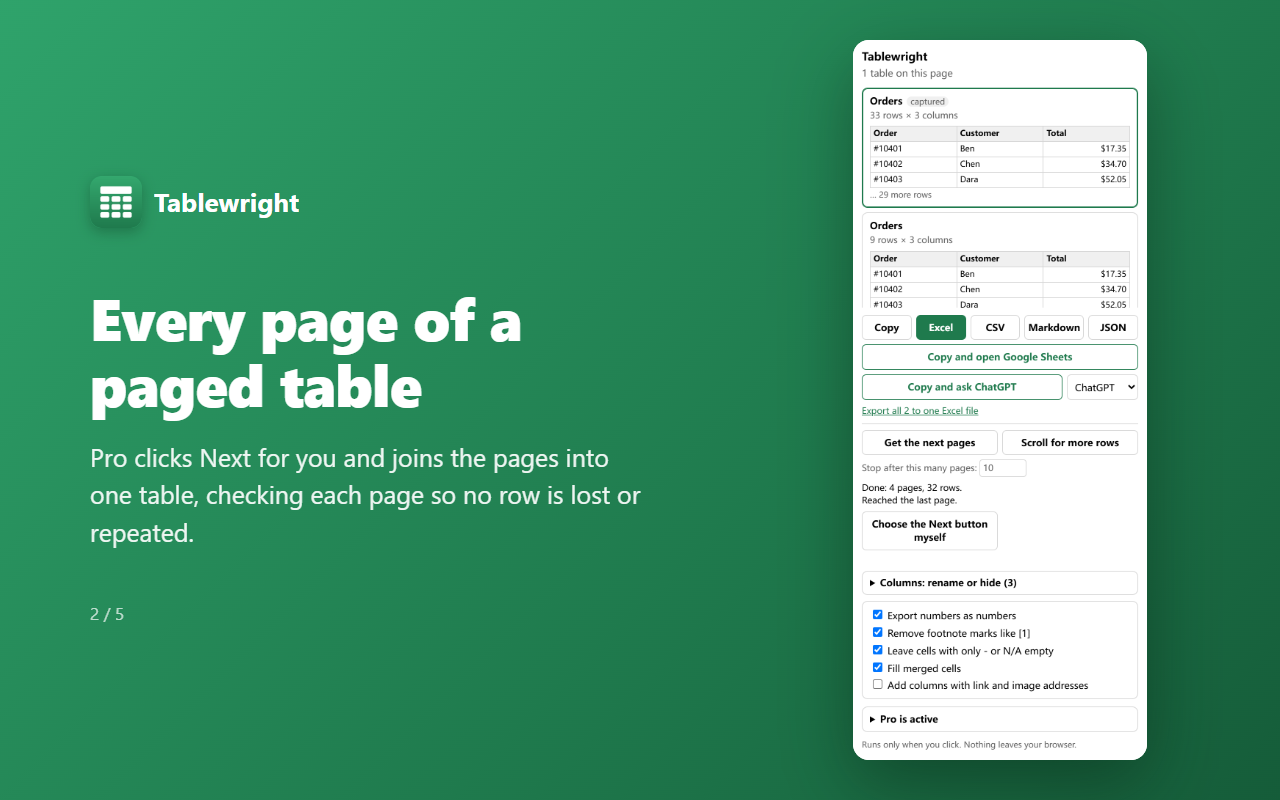
Every page of a paged tablePRO
Tablewright clicks Next for you and joins the pages, checking each one so no row is lost or repeated.
Rows that load as you scrollPRO
It scrolls the table or list until nothing new appears, and keeps every row once, in order.
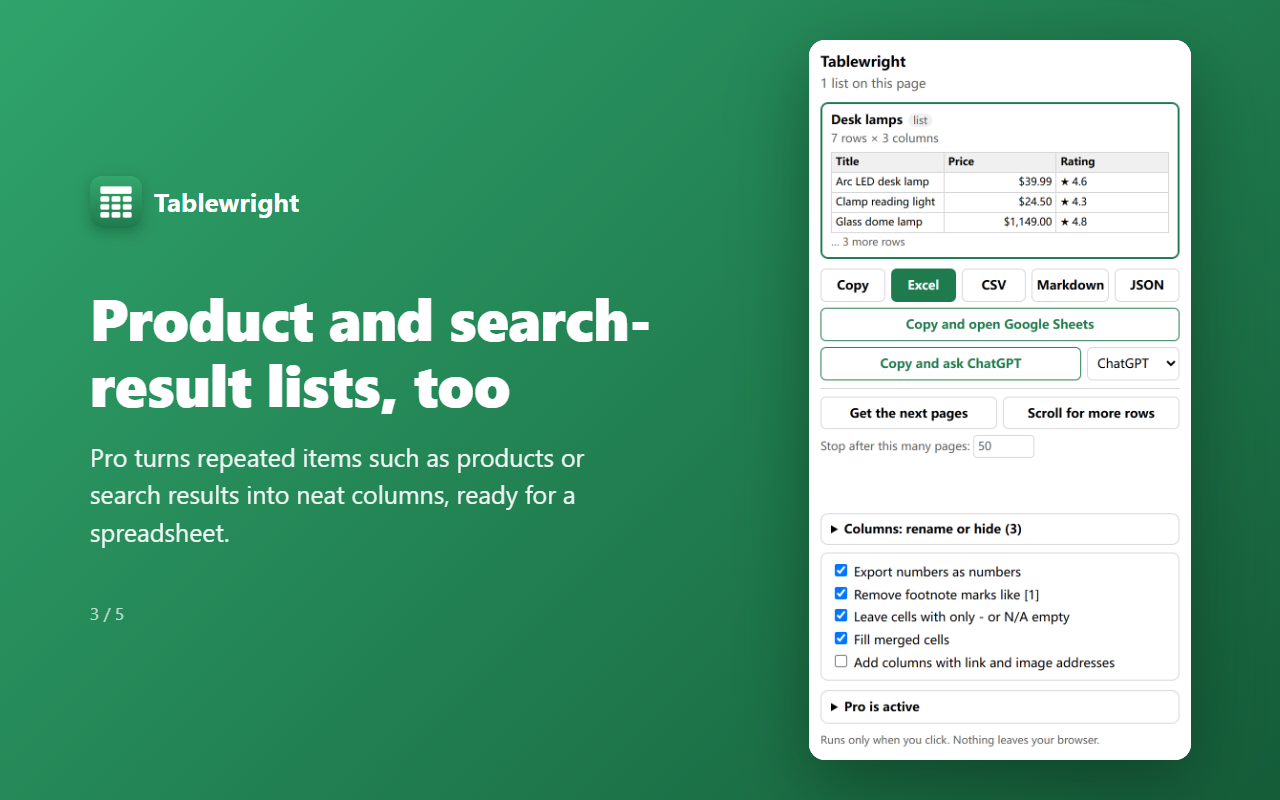
Lists, not just tablesPRO
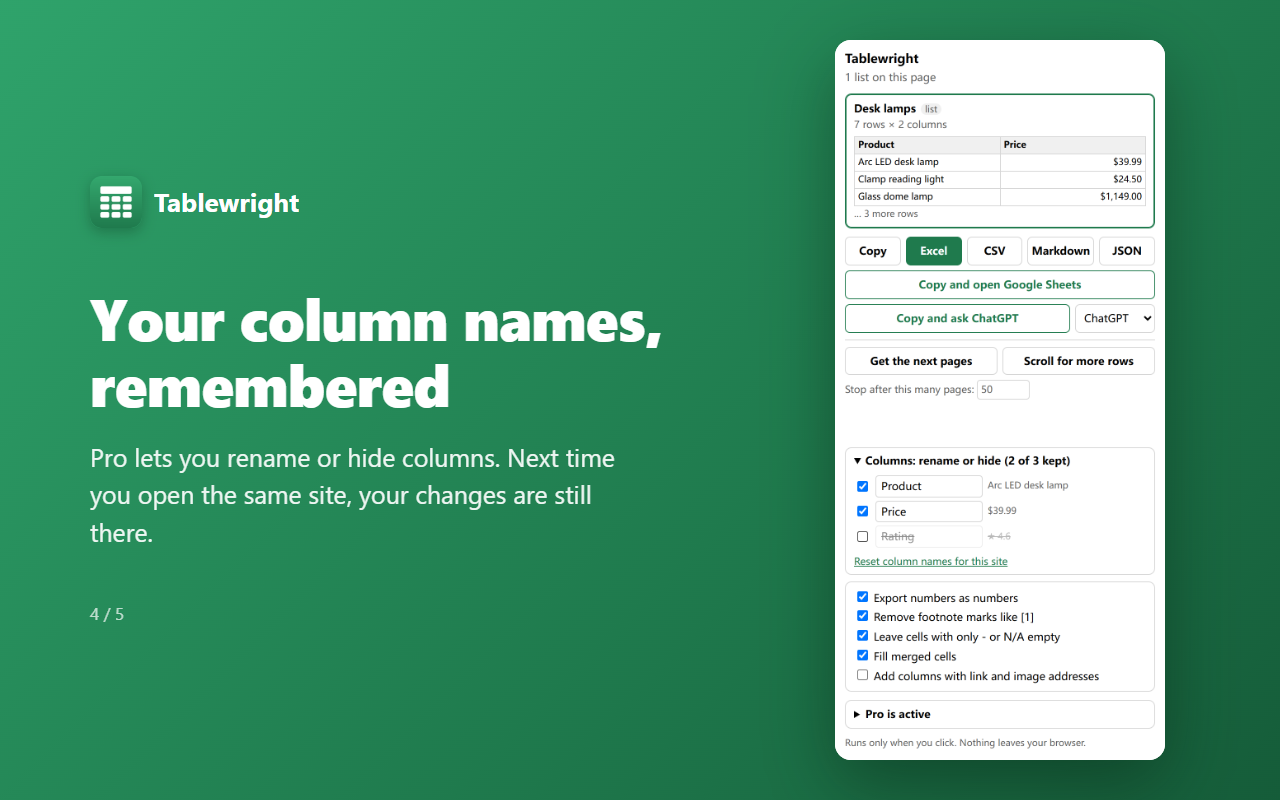
Products, search results and other repeated items become neat columns. Add link addresses, rename or hide columns, and export every table into one Excel file.
See it work
Pricing
Free
- Every HTML table on the page
- Excel, CSV, Markdown and copy
- Ask AI: copy and open ChatGPT, Claude or DeepSeek
- Copy and open Google Sheets
- No row limit
- Numbers, footnotes and merged cells cleaned up
- Dates exported as real dates
- English and Chinese
Pro
- Everything in Free
- Every page of a paged table
- Rows that load as you scroll
- Product and search-result lists
- Link and picture addresses in their own columns
- All tables in one Excel file
- JSON export
- Your table and column names remembered for each site
Questions
- Do I need an account?
- No. Install it and click the icon on any page with a table.
- Is the free version limited?
- Not for tables on the page you are looking at: export as many rows as there are. Pro adds the work that takes the most time, such as paged tables, scroll loading and lists.
- What does it read, and where does it go?
- Only the page you click the icon on, only when you click. The file is made inside your browser. Page content is never sent to us or anyone else.
- Why can't it read some sites?
- Some online spreadsheets draw the table as a picture instead of a web table, and browsers don't let extensions read their own pages, the add-ons store or PDF files.
- How does Pro work?
- Buy once and your license key arrives by email. Open the popup, expand “Get Tablewright Pro” and paste it in. One key works on up to 3 browsers. No subscription.
- What if it is not for me?
- Email [email protected] within 14 days of purchase for a full refund.